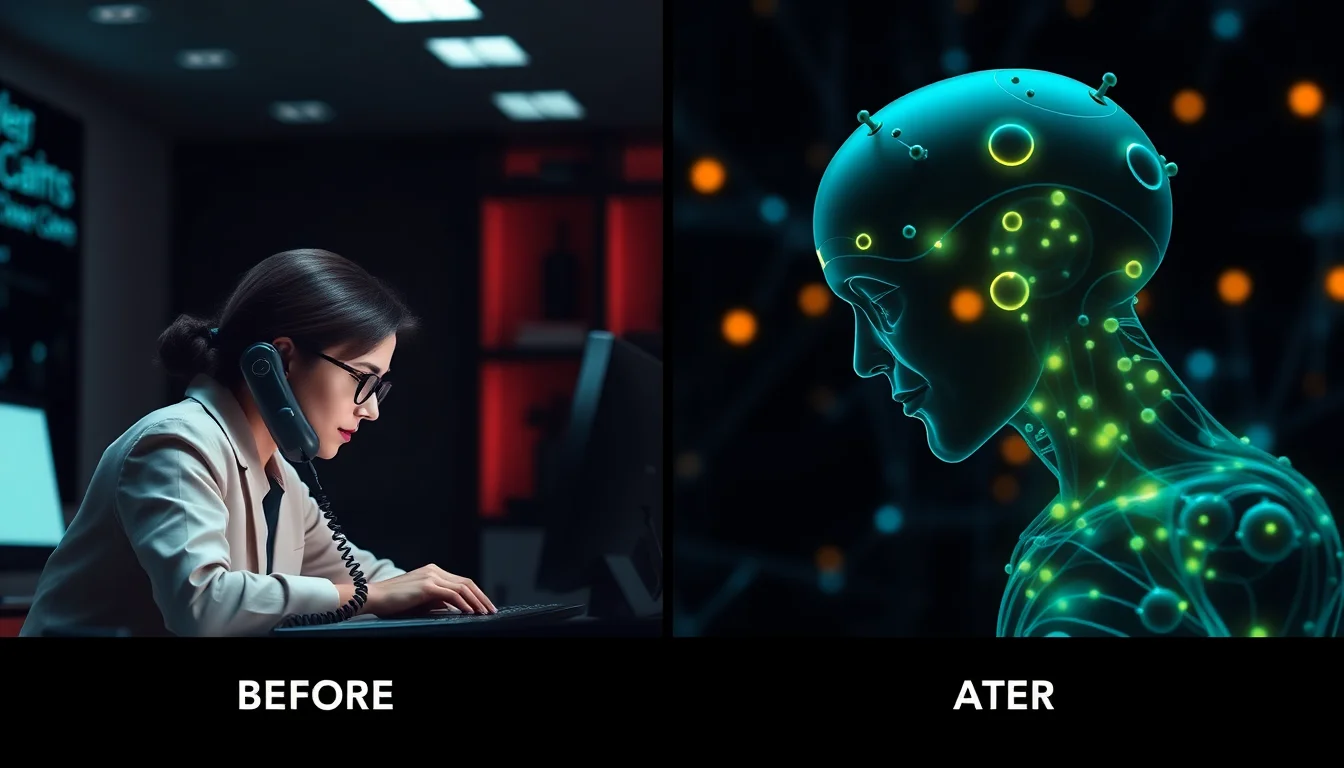

Your practice management software starts responding slowly at 9:47 AM. By 9:51 AM, it's completely frozen. You call your IT support provider. They create a ticket. Someone calls you back at 10:23 AM. Remote troubleshooting begins at 10:35 AM. The issue is resolved by 11:10 AM. Total downtime: 83 minutes. Total cost: approximately $2,400 in lost productivity.
Now imagine a different scenario: Your practice management software starts responding slowly at 9:47 AM. By 9:48 AM, an AI agent has detected anomalous memory usage patterns, identified a memory leak in a specific module, automatically restarted the affected service, verified functionality, and logged the incident. Total downtime: 0 minutes. You never knew there was a problem.
This isn't a future scenario—it's happening in dental practices today. Welcome to autonomous IT.
The Reactive Support Model Is Fundamentally Inefficient
Let's examine the traditional IT support workflow and why it's inherently problematic:
Step 1: Detection (User-Initiated)
In the reactive model, problems are detected when users notice them. This means:
- The issue has already caused visible impact
- User productivity is already compromised
- Early warning signs were missed
- The problem has likely been developing for minutes, hours, or days
Average time from actual issue onset to user detection: 8-15 minutes (for acute problems) or days to weeks (for gradual degradation).
Step 2: Reporting (Manual Process)
Someone has to stop what they're doing and report the problem:
- Find the IT support phone number or email
- Wait on hold or send a message
- Explain the problem (often imprecisely)
- Answer follow-up questions
- Wait for acknowledgment
Average time spent reporting: 7-12 minutes per incident. For a practice experiencing 15 IT issues per month, that's 3 hours of staff time spent just reporting problems.
Step 3: Triage and Assignment (Human Workflow)
The IT provider receives the request and:
- Creates a ticket in their system
- Assigns priority (based on limited information)
- Routes to appropriate technician
- Waits for technician availability
Average time from report to active troubleshooting: 15-45 minutes for "urgent" issues, 2-8 hours for "normal" priority.
Step 4: Diagnosis (Sequential Process)
The technician connects remotely and begins investigating:
- Attempts to reproduce the problem
- Checks common causes (often in a mental checklist)
- Reviews logs and system state
- Forms hypothesis and tests solutions
- May need to escalate to senior technician or vendor
Average diagnosis time: 12-30 minutes for common issues, hours to days for complex problems.
Step 5: Resolution (Manual Implementation)
Once the cause is identified, the technician:
- Implements a fix
- Tests functionality
- Verifies with the user
- Documents the resolution
- Closes the ticket
Average resolution implementation: 10-20 minutes.
Total Time: Detection to Resolution
For a typical IT incident with traditional reactive support:
- Minimum (best case): 35-60 minutes
- Average: 1.5-3 hours
- Complex issues: Hours to days
And remember: the clock starts after users have already experienced impact.
The Autonomous IT Model: Inverted Workflow
Autonomous IT systems flip this entire process:
Step 1: Continuous Monitoring (Pre-Incident Detection)
AI agents monitor hundreds of metrics simultaneously across your entire infrastructure:
- CPU, memory, disk usage on all devices
- Application performance metrics
- Network latency and packet loss
- Database query performance
- Service health and responsiveness
- Log file analysis for error patterns
- Backup job status
- Security event monitoring
Problems are detected before users notice—often while issues are still developing.
Average time from issue onset to autonomous detection: 3-15 seconds.
Step 2: Automated Diagnosis (Pattern Recognition)
When an anomaly is detected, AI systems:
- Instantly correlate hundreds of data points
- Compare current state to learned baseline behavior
- Identify known patterns from historical data
- Analyze causal relationships between symptoms
- Generate diagnostic hypotheses ranked by probability
This happens in parallel, not sequentially. The system doesn't "try one thing, see if it works, try another thing." It analyzes all possibilities simultaneously.
Average diagnosis time: 2-8 seconds.
Step 3: Automated Remediation (Action Without Human Intervention)
For issues with known solutions, the system:
- Assesses current system state and user activity
- Determines safe execution window (minimize user impact)
- Implements the fix automatically
- Monitors for successful resolution
- Rolls back if the fix doesn't work
- Logs all actions for audit trail
Average remediation time: 10-45 seconds.
Step 4: Verification and Learning
After implementing a fix:
- System verifies the problem is resolved
- Monitors for recurrence
- Updates its knowledge base
- Identifies root cause patterns to prevent future occurrences
- Only escalates to humans if automated resolution fails
Total Time: Detection to Resolution (Autonomous)
- Typical: 15-60 seconds
- Complex but known: 2-5 minutes
- Novel issues requiring human intervention: Detected and diagnosed automatically, then escalated to humans with complete diagnostic data
Speed improvement: 60-180x faster than traditional reactive support.
What Can Actually Be Automated? (Real Examples)
Let's be specific about what autonomous IT systems can handle today:
Application Performance Issues
- Memory leaks: Detected via RAM usage trending, resolved by service restart
- Connection pool exhaustion: Detected via connection metrics, resolved by clearing orphaned connections
- Cache saturation: Detected via cache hit rate degradation, resolved by cache flush and rebuild
- Runaway processes: Detected via CPU/memory spikes, resolved by process termination
Automation success rate: 89-94%
Network and Connectivity Issues
- DNS resolution failures: Detected via failed queries, resolved by DNS cache flush or server failover
- Network saturation: Detected via bandwidth monitoring, resolved by traffic throttling or QoS adjustment
- Intermittent connectivity: Detected via packet loss patterns, resolved by network device restart or failover
- DHCP exhaustion: Detected via address pool metrics, resolved by lease reclamation
Automation success rate: 82-88%
Database and Data Issues
- Slow queries: Detected via query execution time, resolved by query optimization or index creation
- Database locking: Detected via lock wait times, resolved by deadlock resolution or service restart
- Backup failures: Detected via job monitoring, resolved by retry with adjusted parameters
- Transaction log growth: Detected via log size trending, resolved by log truncation
Automation success rate: 76-84%
Security and Access Issues
- Account lockouts: Detected via authentication failures, resolved by credential reset (with MFA verification)
- Certificate expiration: Detected via expiration date monitoring, resolved by automated renewal
- Firewall misconfigurations: Detected via traffic analysis, resolved by rule correction
- Failed login attempts: Detected via authentication logs, resolved by temporary IP blocking
Automation success rate: 71-79%
System Resource Issues
- Disk space exhaustion: Detected via capacity monitoring, resolved by temp file cleanup or log rotation
- High CPU usage: Detected via performance metrics, resolved by process prioritization or non-essential service shutdown
- Memory exhaustion: Detected via RAM monitoring, resolved by cache clearing or service restart
- Service failures: Detected via health checks, resolved by service restart or failover
Automation success rate: 88-93%
What Still Requires Human Intervention?
To be clear: autonomous IT doesn't eliminate the need for human IT professionals. It changes what they focus on.
Tasks still requiring humans:
- Novel issues — Problems the system has never encountered and can't diagnose
- Strategic planning — "Should we migrate to cloud-based practice management?"
- Vendor coordination — Escalating software bugs to vendors
- Hardware replacement — Failed hard drives, broken monitors, network equipment
- Complex integrations — Setting up new imaging equipment, third-party software
- User training — Teaching staff how to use new features
- Compliance consulting — HIPAA risk assessments, policy development
The key difference: humans work on strategic and complex issues, not "have you tried rebooting?" problems.
The Economics of Autonomous IT
Let's compare the cost structures:
Traditional MSP Model (Reactive Support)
Typical pricing for 6-operatory practice:
- Base managed services: $800-1,200/month
- Includes: Remote monitoring, reactive support, basic security
- Average incidents per month: 12-18
- Average resolution time: 90 minutes
- Total support hours per month: 18-27 hours
- Effective hourly rate: $44-67/hour
User impact:
- Downtime per month: 3-6 hours
- Staff time spent reporting issues: 2-3 hours
- Revenue impact: $5,400-10,800/month in lost production
Autonomous IT Model
Typical pricing for 6-operatory practice:
- Autonomous monitoring + support: $500-700/month
- Includes: 24/7 AI monitoring, automated remediation, human escalation for complex issues
- Average incidents per month: 23 detected (most auto-resolved)
- Incidents requiring human intervention: 2-3
- Average resolution time (automated): 35 seconds
- Average resolution time (human): 45 minutes
User impact:
- Downtime per month: 0.2-0.8 hours
- Staff time spent reporting issues: 0.3-0.5 hours (only for non-automated issues)
- Revenue impact: $360-1,440/month in lost production
Net Savings
For the same 6-operatory practice:
- Monthly IT cost reduction: $300-500
- Monthly downtime reduction: $5,040-9,360 in protected revenue
- Monthly staff efficiency gain: $60-100
- Total monthly benefit: $5,400-9,960
- Annual benefit: $64,800-119,520
ROI: 1,080% to 2,390%
Real Practice Results
Here are outcomes from three practices that transitioned from traditional MSP support to autonomous IT:
Practice 1: 4-Operatory General Dentistry (Seattle, WA)
Before autonomous IT (12-month average):
- IT incidents per month: 14
- Average downtime per incident: 67 minutes
- Total downtime per year: 187 hours
- IT support cost: $9,600/year
- Estimated revenue impact: $168,300/year
After autonomous IT (12-month comparison):
- IT incidents detected per month: 19 (increased detection sensitivity)
- Incidents requiring human intervention: 1.3 per month
- Average downtime per incident: 0 (for automated), 42 minutes (for human)
- Total downtime per year: 11 hours
- IT support cost: $6,600/year
- Estimated revenue impact: $9,900/year
Improvement:
- Downtime reduction: 94%
- Cost reduction: 31%
- Total annual savings: $161,400
Practice 2: 8-Operatory Multi-Specialty (Austin, TX)
Before autonomous IT (12-month average):
- IT incidents per month: 22
- Average downtime per incident: 91 minutes
- Total downtime per year: 334 hours
- IT support cost: $16,800/year
- Estimated revenue impact: $601,200/year
After autonomous IT (12-month comparison):
- IT incidents detected per month: 31
- Incidents requiring human intervention: 2.1 per month
- Average downtime per incident: 0 (automated), 38 minutes (human)
- Total downtime per year: 16 hours
- IT support cost: $8,400/year
- Estimated revenue impact: $28,800/year
Improvement:
- Downtime reduction: 95%
- Cost reduction: 50%
- Total annual savings: $580,800
Practice 3: 12-Operatory DSO Location (Phoenix, AZ)
Before autonomous IT (12-month average):
- IT incidents per month: 31
- Average downtime per incident: 103 minutes
- Total downtime per year: 532 hours
- IT support cost: $24,000/year
- Estimated revenue impact: $957,600/year
After autonomous IT (12-month comparison):
- IT incidents detected per month: 47
- Incidents requiring human intervention: 3.8 per month
- Average downtime per incident: 0 (automated), 51 minutes (human)
- Total downtime per year: 39 hours
- IT support cost: $12,000/year
- Estimated revenue impact: $70,200/year
Improvement:
- Downtime reduction: 93%
- Cost reduction: 50%
- Total annual savings: $899,400
The Transition: What to Expect
If you're considering moving from traditional IT support to autonomous IT, here's the realistic timeline:
Week 1-2: Discovery and Baseline
- Autonomous agents are deployed in monitoring-only mode
- System learns normal baseline behavior for your practice
- No changes to existing workflows
- You continue using your current IT support
Week 3-4: Passive Detection
- AI begins detecting anomalies and potential issues
- Incidents are logged but not automatically remediated
- Comparison begins between AI detection and traditional support
- Typical finding: AI detects 2-3x more potential issues than users report
Month 2: Selective Automation
- Automated remediation enabled for low-risk, high-confidence scenarios
- Examples: service restarts, cache clearing, connection resets
- All automated actions are logged and auditable
- Human escalation pathways remain active
Month 3+: Full Automation
- Comprehensive automated remediation across all supported issue types
- Typically resolves 85-92% of incidents without human intervention
- Remaining incidents are diagnosed by AI, then escalated to humans with complete context
- Traditional IT support role shifts to strategic consulting and complex issues
The Future: What's Next for Autonomous IT
Current autonomous IT systems handle infrastructure issues—servers, networks, applications. The next generation (2026-2027) will expand to:
- Predictive maintenance: Preventing issues days or weeks before they occur
- Self-optimizing systems: Automatically tuning performance based on usage patterns
- Intelligent capacity planning: Proactive hardware/software upgrades before constraints impact users
- Workflow integration: Understanding business context, not just technical metrics
- Voice-activated IT management: "Make the network faster for imaging" becomes a literal command
The goal isn't to eliminate IT professionals—it's to eliminate the reactive firefighting that wastes their expertise on repetitive problems that machines can solve faster.
The Bottom Line
The traditional IT support model—detect, report, wait, troubleshoot, fix—was designed for an era when humans were faster than automation. That era is over.
Autonomous IT systems detect problems 60-180x faster, resolve them with 85-95% success rates, and cost 30-50% less than traditional support. The practices adopting this technology are experiencing 90%+ reductions in downtime and saving $60,000-900,000 annually depending on size.
The question isn't whether autonomous IT will replace reactive help desks. It's already happening. The question is: how much longer will you wait to adopt it?
Because while you're on hold with tech support, an AI agent somewhere just fixed the same problem in 22 seconds—and nobody even noticed there was an issue.